


-
01 · Setup
Set it up once and every slide fits your master.
Pick the layout, mark the content area and map your colours. Your team then works from the same setup for the same master.
-
02 · Charts
Finance charts that make the point.
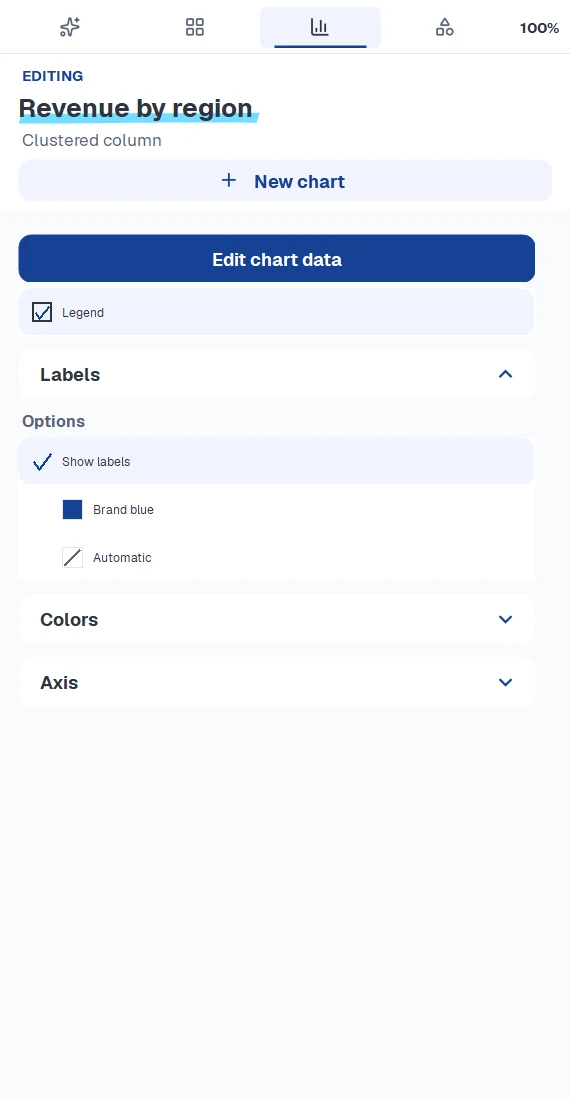
Arrows that carry the key message, project plans with milestones and numbers straight from Excel. In your colours and free.
-
03 · Power tools
176 elements in your colours.
Chevrons, timelines, Harvey balls, traffic lights, 256 flags, icons and your own company elements. Aligning and distributing takes one click.
-
04 · AI
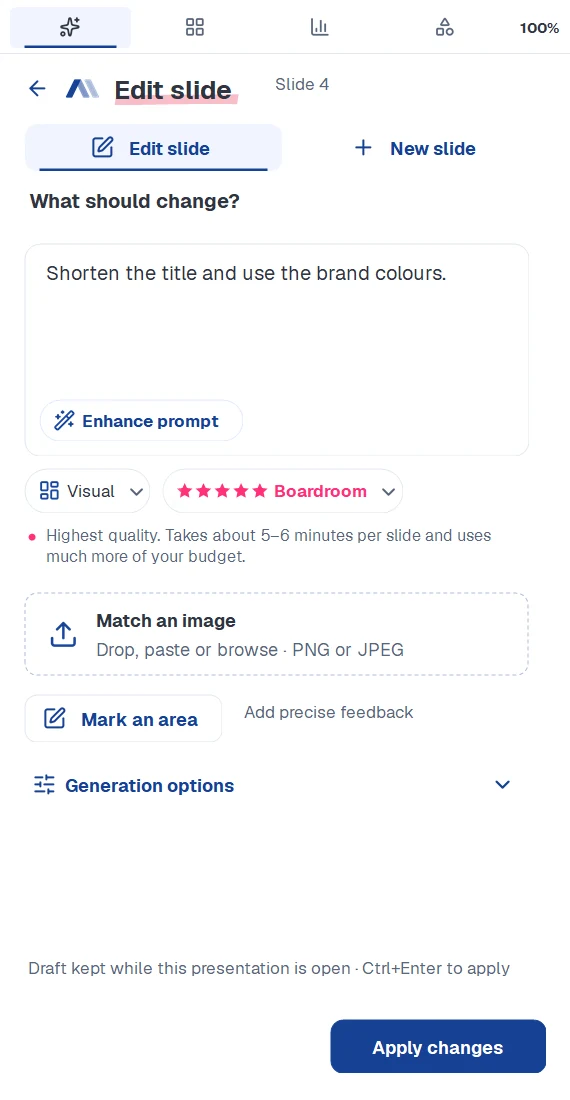
You describe the slide, the AI builds it.
A sentence, a sketch or a photo is enough to start. The AI turns it into real shapes, text and charts in your master and reworks them whenever you ask.
-
05 · Agent
A whole deck, planned with you.
The agent researches the web, reads your files, proposes the storyline and builds the slides. You decide what changes.
PowerPoint add-in · closed beta
Charts, power tools and AI. In one add-in.
Waterfall, Gantt and 176 elements for free. Plus an AI that builds complete slides in your corporate master, from real PowerPoint shapes.
- Every shape stays editable
- Fits your master
- Tools free, AI features from Pro
- 11chart types
- 176elements
- 256country flags
- 5quality tiers
- 7slide styles
One add-in
Until now: several tools for one slide. With slidewizard: one add-in for all of it.
Charts, elements and AI work from the same setup and your colours, so you never switch between tools. The tools are free, AI features start with Pro.
- Today Chart add-in · Toolbox add-in · AI tool
- slidewizard Finance charts (Free) · Power-Tools (Free) · AI-Slide-Engine (From Pro)
What’s inside
Free tools for everyday slide work. Plus an AI that designs slides for you.
Free
Finance charts
Waterfall bridges with CAGR, Gantt plans and every standard chart, in your colours and with numbers straight from Excel.
More on chartsFree
Power-Tools
176 elements and 256 flags in your colours, icons, your own company elements and tools to align and arrange everything.
More on power tools From Pro
AI-Slide-Engine
Designs single slides and whole decks, changes exactly what you describe and tidies up finished slides. Always native PowerPoint in your master.
More on the AIInside PowerPoint
You stay in PowerPoint, from setup to finished deck.
AI-Slide-Engine
Slides designed for their content, not for a template.
Each slide is built object by object from real PowerPoint shapes inside your master, never as a picture. Switch on the shapes and see for yourself.
Click a shape or an entry in the Selection Pane.
This is how the slide arrives in your deck: every object is listed in the Selection Pane and can be selected, hidden and edited by anyone who opens the file.
Fix one detail without starting over.
Describe the change or mark an area. The rest of the slide stays as it is, and everything remains native PowerPoint in your master.
Here: a shorter title and Q3 highlighted in the chart. The rest of the slide stays as it was.
Quality and style
As much computing power as the slide needs.
Five quality tiers, from Quick for a first draft to Boardroom for the board pack. Plus seven styles, from visual to strategy consulting.
Create
One sentence becomes a complete slide, built from scratch.
Edit & polish
Changes what you describe, even within a marked area. Polishing then lines everything up.
Rebuild from image
A screenshot or whiteboard photo becomes an editable slide.
Enhance prompt
Turns a short idea into a precise slide brief.
Quality
Solid Recommended ≈ 1.5 min
Reliable slides for everyday work. The recommended default.
For example: the status update for the weekly team meeting.
The same content in seven styles.
A board reads differently from a workshop audience. Here are the same facts, built to suit each style.
One message, one strong graphic, few words. The default.
Charts Free
Consulting-grade charts without a licence fee.
From the revenue bridge with CAGR to the Gantt plan with milestones, right in PowerPoint and in your colours. Drag the pink handle to try it.
11 chart types today, more to come.
See all chartsDrag the pink handle to another start year.
Add-in and web app
In PowerPoint at your desk, in the browser on the go.
Start a deck in the browser and finish it in PowerPoint. Your setup and your slides are there in both places.
On a Mac too
The web app needs no installation and runs in any modern browser until the Mac add-in is ready.
All your slides in one place
Whatever you created in PowerPoint or in the browser, sorted by day.
Carry on in PowerPoint
Downloaded decks open with your setup and editable charts.
Enterprise
Built for teams with a brand to protect.
Your master sets the rules, and you can see where the budget goes. As a self-service team plan or a custom enterprise setup.
Your master
One setup per master, shared with the whole team.
Every brand
Its own setup for each brand and business unit.
Budgets & usage
Extra budget per member and a clear usage overview.
Security
Hosted in Europe, ISO 27001 certification in progress.
Pricing
Start free and add AI when you need it.
FAQ
What teams ask before they start.
Does slidewizard work with our corporate master?
Yes. You set up a presentation once: layout, content area, colours and corners. slidewizard builds every slide inside that frame, and your team can reuse the setup for the same master.
What is free and what is paid?
Charts and power tools are free. The AI features (create, edit, polish, agent and more) come with a subscription. Plans and prices will be announced shortly.
Can colleagues without the add-in edit the slides?
Yes. Everything is native PowerPoint: shapes, text and charts stay editable for anyone. The free add-in adds the comfortable chart editing and power tools.
Which systems are supported?
The add-in runs in PowerPoint for Windows. Mac support is in the works. Until then the web app works in any modern browser.
How is AI usage billed?
Each subscription includes a monthly AI budget, shown as a percentage in the add-in and the web app. Higher quality tiers use more of it. The usage overview shows exactly where it went.
How do you handle our data?
We process your content only to create and edit your slides. Our ISO 27001 certification is in progress. Details are on the security page.
How do I get the add-in today?
The add-in is in closed beta. Request access and we will get back to you.
Show us your toughest deck.
slidewizard is in closed beta. Request access and we will set you up.